
Google Workspace enables you to manage everything from email to file management, meetings, calendar, documents, team communication, and AI-powered work in one place. However, many businesses take it for granted, using the defaults, which is why they have only managed to reap the partial benefits of Google Workspace. We are already more than 2026 past, and Gmail and Google Drive are not enough. The workspace that a business requires should be secure, organized, and customised to streamline the daily operations of the company. Using Google Workspace, you can easily manage users, protect business data, enhance team collaboration and create a professional work system. This blog will look at how to effectively and simply customise Google Workspace for your business.
What Does Google Workspace Customization Mean?
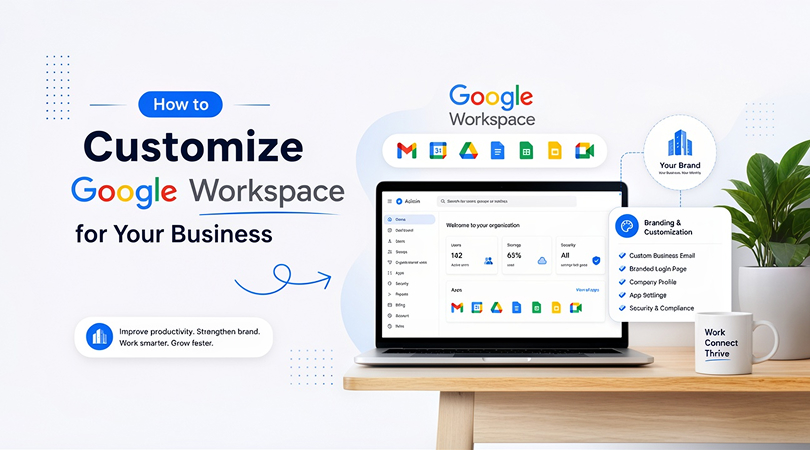
Google Workspace customization is the setting up of Google Workspace to cater to your business needs. This involves creating a professional business email, adding users, setting administrative permissions, organizing Google Drive, setting sharing permissions for files, securing devices and setting up apps correctly, such as Gmail, Calendar, Meet, Chat, Docs and Sheets. For instance, you might be able to get a professional email such as name@yourcompany.com rather than a personal Gmail. You can also create emails for sales@yourcompany.com, support@yourcompany.com or billing@yourcompany.com. Users can access files and user management and share documents outside the company with the help of customization. Put in another way, it makes Google Workspace a legitimate business system.
Why Google Workspace Customisation Matters for Businesses
- Better Business Email Management
With a professional email, a business looks more trustworthy. Domain-based email like name@yourcompany.com, creates a better impression on customers and separates business emails from personal emails.
- Stronger Data Security
You can control file access with the help of customization, enable two-step verification, manage devices and limit external sharing. It will reduce data leaks.
- Easier Team Collaboration
With a proper setup, employees can share and edit documents, schedule meetings, and manage team communication all on a single platform. This ensures smoother teamwork.
- Better Employee Control
Every employee should have a separate account. This makes it easy to manage permissions, track activity, and revoke access when an employee leaves the organization.
Choose the Right Google Workspace Plan for Your Business
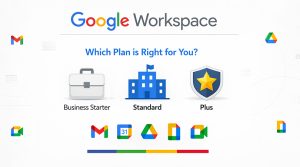
| Features | Business Basic | Business Starter | Business Standard | Business Plus | Enterprise |
| Best For | Very small teams with basic needs | Small businesses and new teams | Growing businesses | Businesses needing better security | Large companies |
| Business Email | Yes | Yes | Yes | Yes | Yes |
| Storage | Basic cloud storage | 30 GB pooled storage per user | 2 TB pooled storage per user | 5 TB pooled storage per user | Custom / higher storage options |
| Video Meetings | Basic video meetings | Up to 100 participants | Up to 150 participants | Up to 500 participants | Up to 1,000 participants |
| Meeting Recording | No | No | Yes | Yes | Yes |
| Security Controls | Basic | Basic | Standard | Advanced | Enterprise-level |
| Admin Controls | Basic | Basic | Standard | Advanced | Enterprise-level |
| eDiscovery and Retention | No | No | No | Yes | Yes |
| Best Choice For | Basic email and apps | Basic business setup | Growing teams | Secure business setup | Large or complex organizations |
Key Google Workspace Settings You Should Customise
- Business Email Setup
Link your business domain with Google Workspace. Use professional e-mail addresses for each team member, e.g., firstname@yourcompany.com or firstname.lastname@yourcompany.com.
- User Accounts
Use a separate username for each employee. It is good practice not to share one account with several users, since it can cause security and access control problems.
- Admin Roles
Allow trusted team members only access to grant the admin role. Do not give more privilege to any one person than is required for their job functions.
- Google Drive Structure
Use clear folders and shared drives in Google Drive. Creating a separate folder for each of Sales, Marketing, HR, Finance and Client Projects is best practice.
- File Sharing Permissions
Set clear guidelines for internal/external sharing of files. Maintain restricted access to sensitive files and only provide client-related files to the appropriate party.
- Google Calendar Settings
Set up common calendars for events, meetings, holidays and deadlines. This helps to keep the team organized and on schedule.
- Google Meet Settings
See if there is anyone available to record the meeting, invite external guests or join a meeting before the host.
- Google Hangouts and Groups.
Establish team and project-specific Chat spaces. Use Google Groups to create mailing lists for groups like Sales, Support, Billing, or Management.
- Security Settings
Set up two-step verification, monitor logins, control employee devices, and delete accounts of terminated users. These measures help to ensure that your business information is safe.
Use Gemini AI Features Safely in Google Workspace
- Creating an AI Usage Policy
With Gemini AI, users can craft emails, create meeting notes, summarize documents, and analyze data. But for businesses, it is crucial to have clear guidelines on the use of AI.
- Protect Sensitive Information
Do not use confidential data, passwords, financial records, legal documents, or private client information in AI prompts. This can lead to added risks for your business.
- Use Gemini for Productivity
Useful for email composition, summarization, data processing, and content ideas, Gemini is a powerful addition to Gmail, Docs, Sheets, Meet, and Drive. This helps save the team’s time.
- Review of AI Output
Avoid sending or publishing directly content generated by AI. Check emails, reports, and client messages before using them.
- Train Your Team
Provide your staff with a basic overview of prompts, privacy, and data handling procedures. This guarantees the secure and savvy use of Gemini.
Benefits of Customising Google Workspace for Your Business
- Professional Brand Image
Having a custom business email gives companies a more professional and trustworthy image. When your customers reach out to your team, they’ll feel more confident.
- Improved Productivity
A clean workspace setup allows the employees to work faster. Access to files is simple, meetings are fast to join, and messages are easily understood.
- Better Security
Customization is an effective way of safeguarding business data. Permission, file sharing, devices and administration permissions can be controlled.
- Smooth Team Collaboration
Use Docs, Sheets, Slides, Drive, Meet and Chat to work together. A well-organized collaboration is made possible through a proper setup.
- Easy Employee Management
New hires can easily get accounts set up and access. Access to employees can be denied upon their leaving to protect company information.
- Scalable Business System
As your business expands, you can add users or upgrade plans, create new drives, and increase security settings.
- Better Client Communication
Clients and partners experience a better experience with professional emails, organized meetings, and secure file sharing.
Where to Buy Google Workspace for Your Business
You can buy Google Workspace directly from Google or an authorized Google Workspace reseller. But for most of the business’s resellers, it can be the better choice because a reseller is not only selling a license, but they also provide help in setup, plan selection, domain connection, email migration, user creation, billing support, security settings and technical. If you need proper setup, plan selection, domain connection, email migration, user creation, billing support, security settings, and technical support, then choosing a trusted reseller can be a more appropriate choice. Before purchasing Google Workspace compare plans, check storage limits, understand security needs and choose a reseller who can understand your business requirements clearly.
Conclusion
Now we are already in 2026, for modern businesses, Google Workspace customisation is very important for those who need better productivity, strong security and professional communication. The default setup can be good for basic use, but for growing businesses, it is not enough. You can make a better digital workplace by choosing the right plan, setting up business email, managing users, organizing Drive, controlling file sharing, securing accounts, and safely utilizing Gemini AI. The goal is simple: Google Workspace works according to your business needs. A properly customized Google Workspace setup helps the team work faster, stay organized, protect data, and provide better service to customers.