
Online advertising has been competitive and fast-paced like never before. Firms are also initiating many searches on the search engines, social media, and display networks simultaneously. Yet since the ad creatives, the campaign statistics, and communication within the team, approval, and performance reports are managed in non-comparable tools, the entire process becomes confusing. The problems of marketing teams are multiple, as well as missed updates, delayed approvals, and fragmented files, which directly influence the effectiveness of the campaign and the payback.
Here, Google Workspace solution will be an effective tool for online advertisement teams. Google Workspace is a platform where all teams can easily manage planning, teamwork, performance monitoring, and communication, unlike when each team used different platforms. The guide will assist you in discovering how Google Workspace will support the process of online advertising, which tools are the most helpful, and how businesses are able to utilize them to enhance their performance and campaign results.
What is Google Workspace and Why It Matters for Digital Advertising
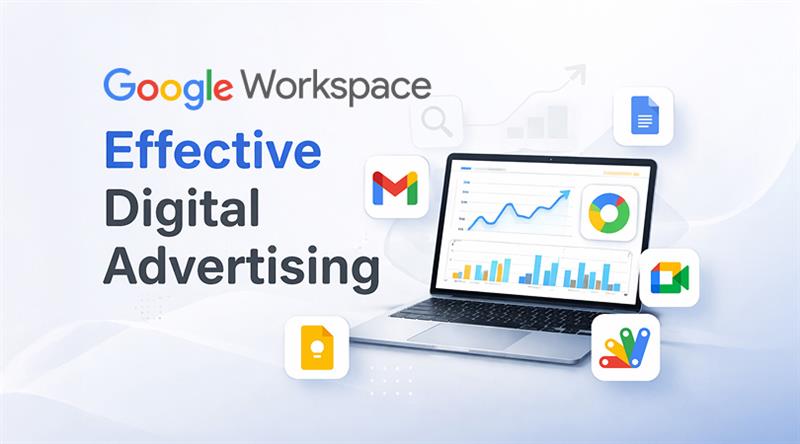
Google Workspace software is a network of productivity and collaboration applications on the cloud that is utilized to help businesses work in a smarter and more organized manner. Its other popular uses include Gmail, Google Drive, Google Docs, Google Sheets, Google Meet, and Google Calendar, all of which are closely interconnected within a single ecosystem. Given that all these tools are cloud-based, teams are able to access their files, data, and channels of communication anywhere.
Teamwork is the most important for digital advertising teams. The campaign managers, designers, copywriters, analysts, and clients may often be required to collaborate on the same project at the same time. File loss, absence of transparency in feedback, and reporting discrepancies are bound to occur in the absence of a centralized system. The answer to these issues isGoogle Workspace edition, which enables real-time communication and structured workflow, thereby making teamwork simple and efficient.
Speed, accuracy, and coordination are the most decisive factors in the success in the digital advertising world. The teams can now make decisions more quickly and reliably as they have the capability to collaboratively edit documents, make updates in real-time, and have access to campaign assets all in one centralized location. This will make the execution of campaigns smooth and enhance general marketing outcomes.
Key Google Workspace Tools Every Digital Advertising Team Should Use
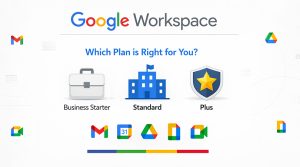
Google Workspace solution offers multiple plans for different business sizes. As you know, every digital advertising team has different needs, such as small businesses that want basic collaboration and large enterprises that need advanced security and large storage. That’s why it is important to choose the right plan so that the team are able balance team collaboration, data storage, and security properly.
- Business Starter: For the small marketing teams and startups, Business Starter can be the best option for managing limited campaigns. In this team, you get essential collaboration tools and a professional business email, which can be the perfect foundation for teams who are starting a digital advertising journey.
- Business Standard: Teams that are growing rapidly, then Business Standard can be suitable because it handles multiple campaigns and requires creativity, such as images, videos, and campaign documents. Shared drives and better collaboration make team coordination smooth and help operations to scale.
- Business Plus: Useful, especially for those agencies that manage multiple clients. This plan includes advanced security controls, better data management, and improved meeting features, which are very helpful in maintaining professional workflow.
- Enterprise Plans: This plan is designed for large organizations that have complex advertising structures. It includes advanced compliance, strong security, and powerful admin controls, which is important for companies that are handling sensitive marketing data.
Ultimately, businesses need to take care of team size, campaign volume, collaboration needs, and future growth goals while selecting any plan, so that businesses can maintain long-term productivity and efficiency.
How Google Workspace Improves Digital Advertising Workflow
In online advertising, it is essential to have effective coordination between the marketer, the designer, the analyst, and the client. In case of a lack of clarity of communication or a lack of organization of the workflow, campaigns may be delayed. Google Workspace makes this coordination easier by creating a centralized workflow that can make the whole team work effectively within one unified system.
When the teams work on common documents, the process of campaign planning will be much easier. Several members of a team can also edit strategies, comment, and complete ideas concurrently without necessarily having to send email attachments over and over again. Real-time editing will help fast-track the decision-making process and also reduce confusion.
Google Drive also improves creative asset management. The folders can be sorted by teams by client, campaign, or platform, and thus, all can easily access the most recent creative assets. Access control ensures security is preserved, and at the same time ensures that teamwork is smooth.
The comments and suggestion features of Docs and Slides also increase the speed of the approval process. Documents can be reviewed on the spot by clients and managers, thus removing the time-consuming feedback loops.
Google Sheets makes performance tracking even more efficient. It is easy to monitor budgets, conversions, and other important campaign metrics with shared dashboards created by marketing teams. The information is updated immediately, and the whole team is in the same direction as far as campaign performance is concerned.
Communication becomes quick and simple through Gmail and Google Meet. The teams are able to discuss immediately, organize meetings, and prevent the wastage of time that usually slows down the process of carrying out advertising campaigns.
Benefits of Using Google Workspace for Digital Advertising
Google Workspace services provide multiple practical benefits to digital advertising teams that make daily work efficient and easy:
- Improved Productivity: Reduce the time of the team to search for files or manage different document versions. Real-time collaboration minimizes repetitive work and campaign execution, getting fast.
- Better Organization: Store entire campaign documents, reports, and creative assets in a structured and centralized environment, through which information can be accessed easily.
- Smooth Client Collaboration: Clients are able to review documents online, give feedback instantly, and campaign progress remains updated without any complicated communication
- Strong Security Controls: Ensure permission management and secure access so that sensitive marketing data remains safe.
- Easy Scalability for Growing Teams: As your business grows, you are able to easily add new users and scale workflows without any disruption.
The Future of Digital Advertising Collaboration with Google Workspace
There is a great pace of evolution in digital advertising, automation, data-driven decision-making, and remote collaboration are becoming some of the main pillars of marketing success. Google Workspace facilitates such changes by offering an adaptable and smart workflow. The AI-based capabilities of the workspace can help the teams in creating content, summarizing information, and organizing data, decreasing the amount of manual work and enabling the marketers to pay more attention to the strategy and creativity. The decision-making process becomes quicker and more efficient with the help of real-time collaboration tools.
Moreover, working remotely and in a hybrid, environment is the new reality in the marketing world. Collaboration on the cloud will help the teams be connected to their projects and their teammates, no matter where they are located. Automation integrations enable the Workspace tools to be connected to analytics and marketing software, which enhances accuracy in reporting and workflow efficiency. With digital advertising growing more complicated than ever, companies embracing collaborative digital ecosystems have a highly competitive edge; Google Workspace offers a solid background to this new marketing landscape.
Conclusion:
Digital advertising does not only involve the act of running ads, but it also depends greatly on having well-developed processes and smooth collaboration. Once teams work successfully, handle data systematically, and ensure proper communication, the work of campaigns will become more stable and effective. The organized course of work streamlines the marketing process and reduces unnecessary delays.
Google Workspace provides an efficient solution for businesses, uniting communication, collaboration, and productivity tools into one and the same platform. In the planning of campaigns up to the reporting of performance, it assists marketing staff to curb operational huddles and increase the speed of operations. Startups, marketing agencies, and large enterprises are able to use Google Workspace to streamline their operations, reinforce their collaboration, and help businesses reach the top of advertising outcomes. Even more successful ad digitalization may be achieved in the future on the basis of the improved cooperation with the current investment.
FAQ
What is Google Workspace used for in digital advertising?
Google Workspace helps digital advertising teams in planning campaigns, managing creative files, real-time collaborations on documents, tracking performance data, and easily communicating with clients or team members. Everything is on a single cloud-based platform.
Can agencies manage multiple clients using Google Workspace?
Yes, Agencies are able to easily manage multiple clients. You can set different folders, shared drives, and access permissions for every client, through which campaigns remain organized and secure.
Is Google Workspace secure for marketing data?
Yes, Google Workspace provides strong security features such as encryption, user access control, two-step verification, and admin management settings that help keep marketing and business data safe.
Which Google Workspace plan is best for marketing agencies?
For most of the marketing agencies, Business Standard or Business Plus plans can be the best option, because both plans include higher storage, better collaboration tools, and advanced control for managing multiple projects.
Why should businesses use Google Workspace instead of multiple tools?
Google Workspace combines email, file storage, meetings, collaboration, and reporting tools in a single platform. It reduces cost, makes workflow simple, and improves team coordination.