
In the modern digital dynamic world, information has turned into a resource for any company. Those companies that are able to swiftly gather, examine, and utilize their data have a highly competitive edge in the market. The issue is, however, in locating tools that can handle data effectively, tools that are powerful, but at the same time user-friendly and available to both small and large teams. In this regard, Google Workspace can prove to be a convenient and affordable option.
A majority of businesses are moving in the direction of cloud-based systems in 2026, especially in the analysis of data. Google Workspace solution is an entire ecosystem where you can easily gather, store, analyze, and share data in real-time. Google Workspace can be used by a small business owner, marketer, or large organization to convert raw data into valuable insights, and not even to the point of needing any technical expertise. This guide will help you, step by step, to use it successfully to analyze the data.
What is Google Workspace?
Google Workspace refers to a collection of cloud-based productivity and collaboration services that are aimed at assisting businesses in streamlining their day-to-day activities. It includes popular tools such as Google Sheets, Google Forms, Google Drive, and Looker Studio, all of which play a crucial role in the data analysis process.
Unlike traditional software which requires installation and manual updates Google Workspace operates entirely online. This implies that you can get your data anytime, anywhere, with or without a mobile phone or a laptop. Moreover, your data is automatically stored and safely stored in the cloud. This reduces the technical problems, and you can focus your attention on productivity.
Data analysis-wise, Google Workspace provides a single-place environment in which you can gather data through forms, store it in spreadsheets, analyze it using formulas and tools, and illustrate the findings using dashboards. It is so easy to use, and its real-time collaboration option makes it an ideal option to use by both amateurs and experts.
Key Benefits of Using Google Workspace for Data Analysis
Google Workspace is an efficient and simple tool to analyze data. Let’s understand the key benefits of Google Workspace:
Live Teamwork Enhances Team Productivity: Several users can collaborate on the same file. It speeds up the teamwork, involves ideas in a short period, and eradicates time wastage when making decisions.
Accessibility through the Cloud ensures Flexibility: With all the data on the cloud, you can access it anywhere, be it working remotely or in the office.
Business-friendly Solution at Cost-Effective Price: There is no necessity to purchase costly software. Google Workspace is a cheaper alternative that small startups and growing companies can use, which is ideal for every company.
Easy Integration with other tools: You can seamlessly integrate your CRM with marketing tools or any other business platform using Google Workspace software. With it, you are able to seamlessly transfer your data between one location and another.
In-built AI and Automation: AI and automation capabilities, such as smart suggestions and automated insights, will simplify your work. Even with average knowledge of technical work, you can easily analyze your data.
Essential Google Workspace Plans for data analysis.
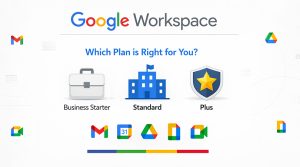
The selection of the appropriate plan of Google Workspace relies on the size of your business, team, and analysis of data. As you are aware, each business requires something different; some businesses may require simple reporting, and others may require complex data management and protection.
Business Starter: If you are running a startup and small business where data analysis is done on a basic level, such as simple spreadsheets, reports, or tracking, then this plan can be the best option. In this plan, you will get limited storage, but for the initial stage, it’s a practical choice.
Business Standard: As your business grows, data volume and team collaboration also increase. In this plan, the business will get collaboration along with more storage, which helps in managing large datasets and efficiently working with your team.
Business Plus: This plan offers more sophisticated security options and enhanced data management capabilities when your business needs to deal with sensitive data like financial data or customer data. This would be particularly handy in businesses where data privacy is a concern.
Enterprise Plan: This is the most powerful plan in case you have a large-scale organization and need multiple departments, a lot of data processing, and sophisticated analytics. It features enterprise-level features, security, and high-level customization.
Finally, in simple terms, the Business Standard plan is the most feasible option among small and mid-sized businesses as it has the right balance of both cost and features.
How to Use Google Workspace for Data Analysis
If you want to do effective data analysis by using Google Workspace, then you have to follow a proper step-by-step approach. With the help of this software, your data remains organized, and you can find insights easily.
Start by Collecting Data Efficiently: First, collect data by using Google Forms, such as surveys, feedback forms, or internal team input. Through which your data comes in an automatically structured format and reduces manual errors.
Organize and Store Data Properly: Collect the data, store it in Google Drive by creating proper folders. With this, you ensure easy access and sharing of files whenever you need.
Clean and Prepare Data to be Accurate: Raw data is typically a mess, which is why you should clean and prepare your data using Google Sheets filters, sorting, and duplicate remover tools. Clean data will always provide precise results.
Calculate and analyze data with built-in functions: You can also make calculations and analysis in Google Sheets through built-in functions such as SUM, AVERAGE, IF, and VLOOKUP. This will assist you in transforming unstructured numbers into valuable knowledge.
Better Insights with Pivot Tables: It can be used to summarize a large dataset and find trends or patterns as they can be created rapidly using pivot tables.
Visualize Data to Understand it: Visualize your results using charts, graphs, and dashboards to display them in a well-organized and attractive manner. And with this, complex information, particularly with the stakeholders, can be easily understood.
Share and Collaborate in Real Time: Share your reports with team members and other stakeholders in real time. They can see, update, or comment on the same file, and this facilitates quicker and more efficient decision-making.
With the help of such an approach, you will be able to use the potential of Google Workspace to the fullest and get the most out of your data.
Advanced Data Analysis Techniques in Google Sheets
In case you want to go the extra mile in analyzing your data, it is important to make use of some of the more advanced capabilities and functions of Google Sheets. These methods will make your work quicker, more precise, and much more efficient. To have it in plain terms:
Get faster insights with AI-Powered tools: Some Google Sheets features, such as Explore, automatically analyze your data to provide insights and visual suggestions. This enables you to understand what your data tells you without straining a lot.
Automate repetitive tasks with Google Apps Script: When you find yourself repeating the same tasks over and over again (e.g., updating data, reports, and notifications), then you can use Google Apps Script to make them all automatable. This is not only timesaving but also reduces manual errors.
Process big data sets: When your data gets too large, and you find Google Sheets getting slow, you can use it with BigQuery. This allows you to quickly do high-speed data analysis on an advanced level.
Add functionality with Add-ons: Within Google Workspace, you can add add-ons that will help you with advanced analytics, reporting, and external integration. These extensions enable your workflow to be even stronger.
Be precise with Data Validation: Data can only be analyzed effectively when the data on which it is based on is correct. So, establish data validation rules: it is important to make sure that you enter only correct and consistent data in your spreadsheet. This will make your results reliable.
With the help of these methods, you will be able to go beyond basic analysis and make intelligent, advanced, and data-driven decisions.
Conclusion:
Google Workspace has emerged as an essential tool to utilize in 2026 when a business will be eager to streamline and make the data analysis process more effective. Its cloud platform, simple to use applications, and solid features enable it to be utilized by a team of any size, be it a startup or a large organization.
Businesses can now build a full-fledged data workflow – collect data, do sophisticated analysis, and report, all in a single, unified ecosystem with the help of Google Form, Sheets, Drive, and Looker Studio. Moreover, the real-time collaboration and anywhere-access are also used to enhance the productivity of the team, as well as its efficiency in decision-making.
In order to get the most out of Google Workspace, remember to take care of well-organized and clean data, take advantage of automation opportunities, and use the plan that best fits the specifics of your business. With the right strategy, Google Workspace can assist you in converting your raw data into actionable insights and, by extension, make smarter decisions, and allow you to grow your business over the long term.
FAQ
- What makes Google Workspace suitable for data analysis?
Google Workspace is suitable because it gives an all-in-one cloud platform where you easily collect, store, analyze, and visualize your data. Its tools are simple, which means no need for heavy technical knowledge.
- Which plan of Google Workspace should I choose for data analysis?
If you are running a small or medium-sized business, then the Business Standard plan can be the best option. In this, you will get a perfect balance of cost and features, which is useful for data analysis.
- How can I collect data using Google Workspace?
By using Google Forms, you can easily collect your data. With the help of Forms, responses automatically save in spreadsheets, which will reduce manual work.
- Can teams collaborate on data in real time?
Yes, multiple people can edit, comment, and track changes on a single file. This makes teamwork fast and efficient.
- What are pivot tables, and why are they important?
Pivot tables are a powerful feature of Google Sheets that summarize large amounts of data. This helps you to understand trends and patterns without any kind of complex features.
- Can Google Workspace handle large-scale data analysis?
Yes, but when the data is very large, then you can integrate with BigQuery, which makes your analysis faster and more advanced.
- How do I ensure my data is accurate before analysis?
Clean your data, delete duplicates, apply filters, and validation rules in Google Sheets. Always use clean data to provide better and more precise results.
- What is the biggest advantage of using Google Workspace for data analysis?
Its greatest strength is its cloud-based network and real-time teamwork. You are able to work with your team instantly and access data anywhere.